How to Install IPTV Apps on Firestick
To install IPTV apps on Firestick, start with the Amazon Appstore, then use Downloader only when the official app is not available in your region. The safe workflow is to verify the app source, install the player, delete
Direct Answer
To install IPTV apps on Firestick, start with the Amazon Appstore, then use Downloader only when the official app is not available in your region. The safe workflow is to verify the app source, install the player, delete temporary installer files, and add only account details from a service you are authorized to use.
Fluxus editorial boundary: this guide is for legal setup, troubleshooting, device optimization, and streaming stability. It does not provide public playlist directories, modified apps, unauthorized live sports sources, or unsupported content access instructions.
Quick Fix Summary
- Search the Amazon Appstore first.
- Use official developer sources only when sideloading is necessary.
- Allow installs for Downloader only, then turn the permission off when finished.
- Delete installer files after installation to recover storage.
- Do not install several players before testing one clean setup.
- Keep the app updated from the same source used for installation.
Step-by-Step Solutions
- From the Firestick home screen, open Find or Search and look for the player app by exact name.
- If the app appears in the Amazon Appstore, install it there and skip sideloading.
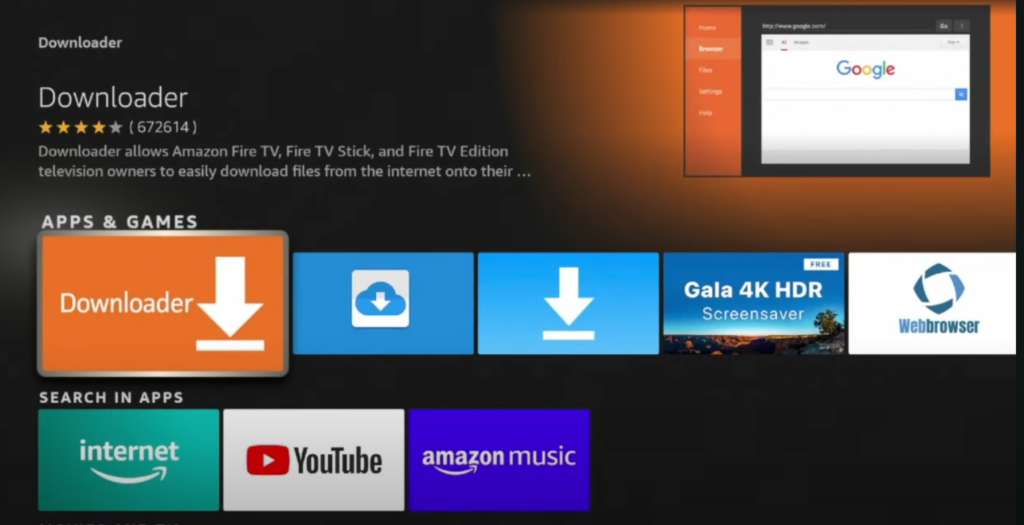
- If the app is unavailable, install Downloader from the Amazon Appstore.
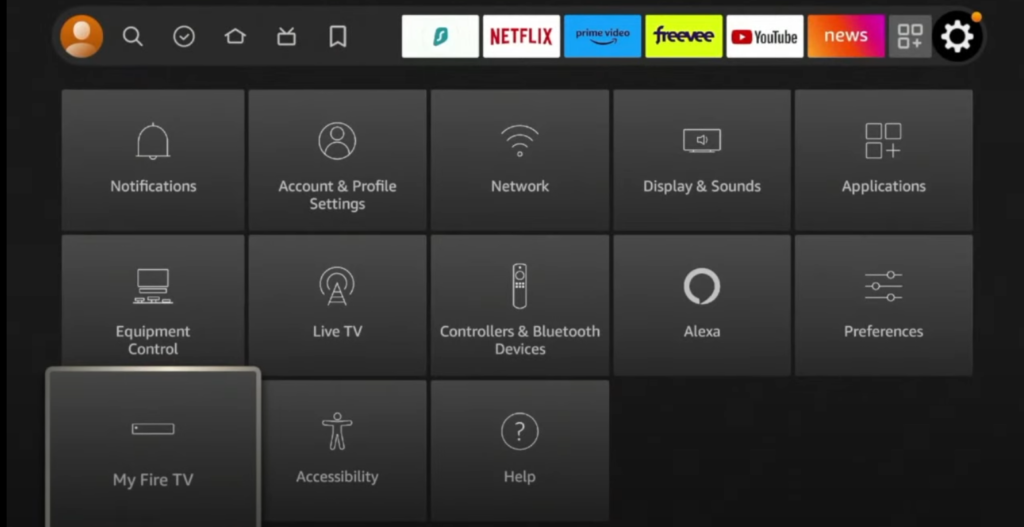
- Open Settings, choose My Fire TV, then Developer Options or Install Unknown Apps. Enable permission for Downloader only.
- Open Downloader and enter the official website or official download URL for the player. Avoid shortened links and file-hosting mirrors.
- Download the installer, choose Install, then choose Done after installation finishes.
- Delete the installer file when Downloader asks. Firestick storage is limited and leftover files can cause lag later.
- Open the new player app from Your Apps and Channels and add your authorized account details.
- After the first successful test, return to Install Unknown Apps and turn Downloader permission off.
- If the app fails to install, restart the Firestick, check storage, confirm Fire OS updates, and verify the download source.
Root Cause Explanation
Firestick app installation becomes risky when users search random APK sites or install modified packages. A support-focused setup should reduce risk: official store first, official developer source second, no public lists, no modified apps, and a clean storage check after installation.
Recommended Settings / Tools
- Prefer Appstore installation over sideloading when available.
- Keep only one or two player apps installed during initial setup.
- Use Firestick 4K Max or newer for smoother guide navigation.
- Keep free storage above 1 GB after installing the player.
- Use 5 GHz Wi-Fi or Ethernet adapter for first playback tests.
- Record the app version and source before contacting support.
Cluster Navigation
- Firestick IPTV Setup Hub
- How to Set Up IPTV on Firestick
- IPTV Setup for Beginners
- Firestick Streaming Setup Guide
- Firestick Streaming Lag Fix
- IPTV Buffering Fix Hub
- TiviMate Setup and Troubleshooting Hub
- IPTV Smarters Setup and Troubleshooting Hub
- Android TV Optimization Hub
- VPN for IPTV Streaming Hub
FAQ
Is sideloading always required on Firestick?
No. Many users can install a supported player from the Amazon Appstore. Sideload only when the official app is not available.
What is the safest source for a Firestick player app?
The safest source is the Amazon Appstore. If unavailable, use the official developer website or official download page.
Should I leave Downloader install permission enabled?
No. Enable it only for installation, then turn it off after the player is installed.
Why does installation fail on Firestick?
Low storage, old Fire OS, wrong download URL, or a blocked third-party file source are common causes.
Can I install multiple IPTV apps at once?
You can, but it is better to test one clean player first so troubleshooting is easier.
Final Verdict
How to Install IPTV Apps on Firestick works best when you treat streaming as a system: device, app, network, account, and source legitimacy all matter. Start with the quick checks, use the step-by-step workflow, and return to the pillar page when you need broader support.